Ectopass detects micro-architectural security vulnerabilities
Current processor optimizations such as branch prediction or speculation are essential for performance but can break security by accidentally leaking data. See for example the Spectre attack.
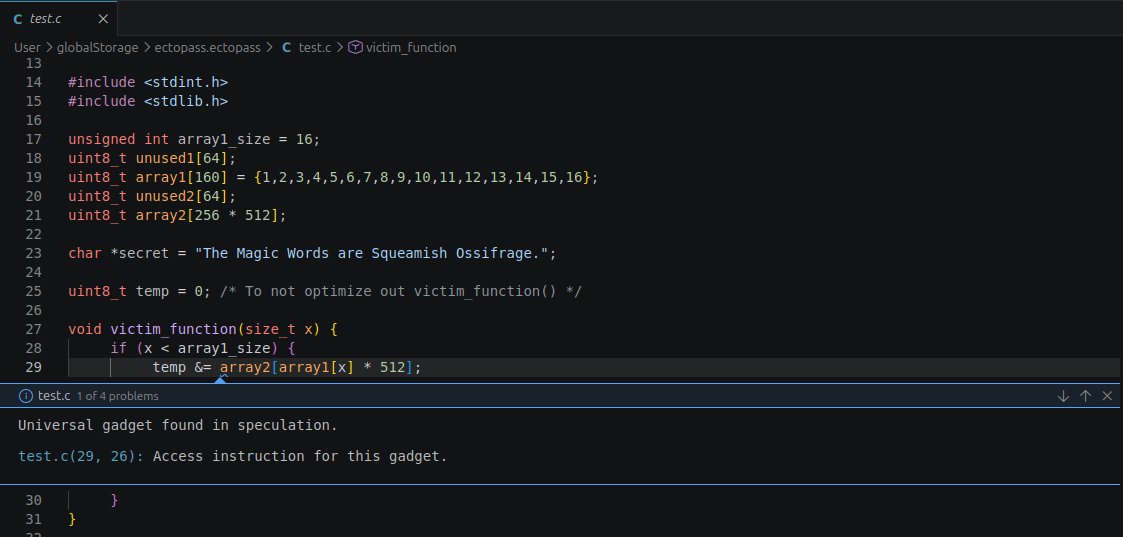
You can easily try Ectopass in your browser by following the tutorial here!
How Ectopass works
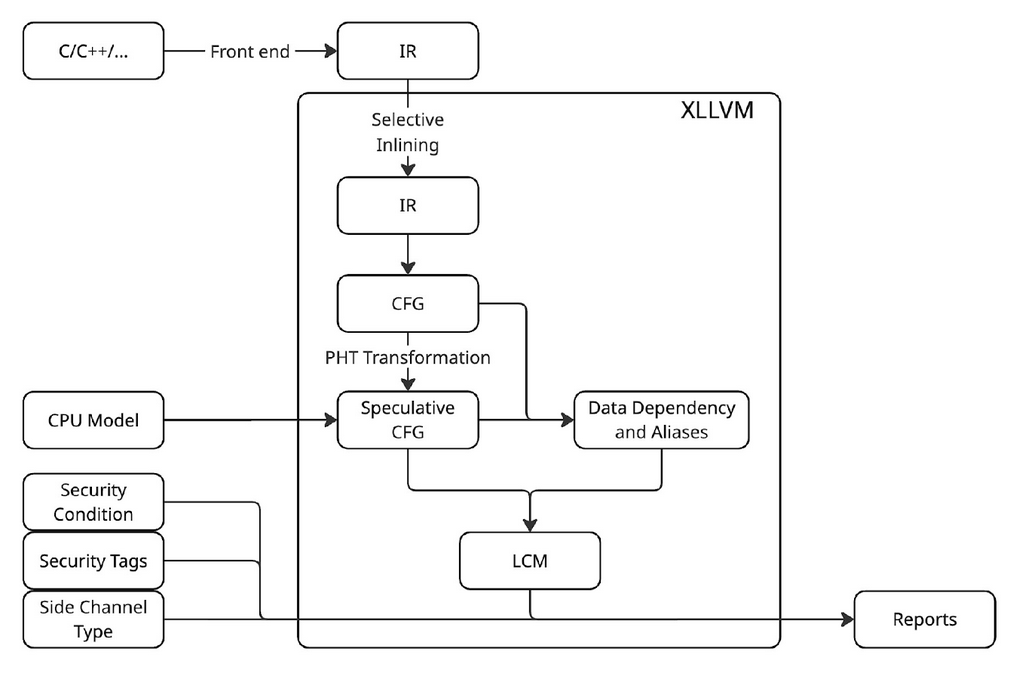
Ectopass is implemented as an LLVM pass (hence the name). It can be integrated with any codebase which can be compiled to LLVM IR (C, C++, Rust, Swift, etc).
Ectopass performs a direct analysis of the Control Flow Graph of the program extended with speculative execution.
Configuration
Ectopass analysis can be configured with different options:
- different kind of CPU models
- different security conditions (non-interference, conditional non-interference, relative security)
- different side channel types
- security tags (a list of untrusted variable or secrets)
Existing solutions
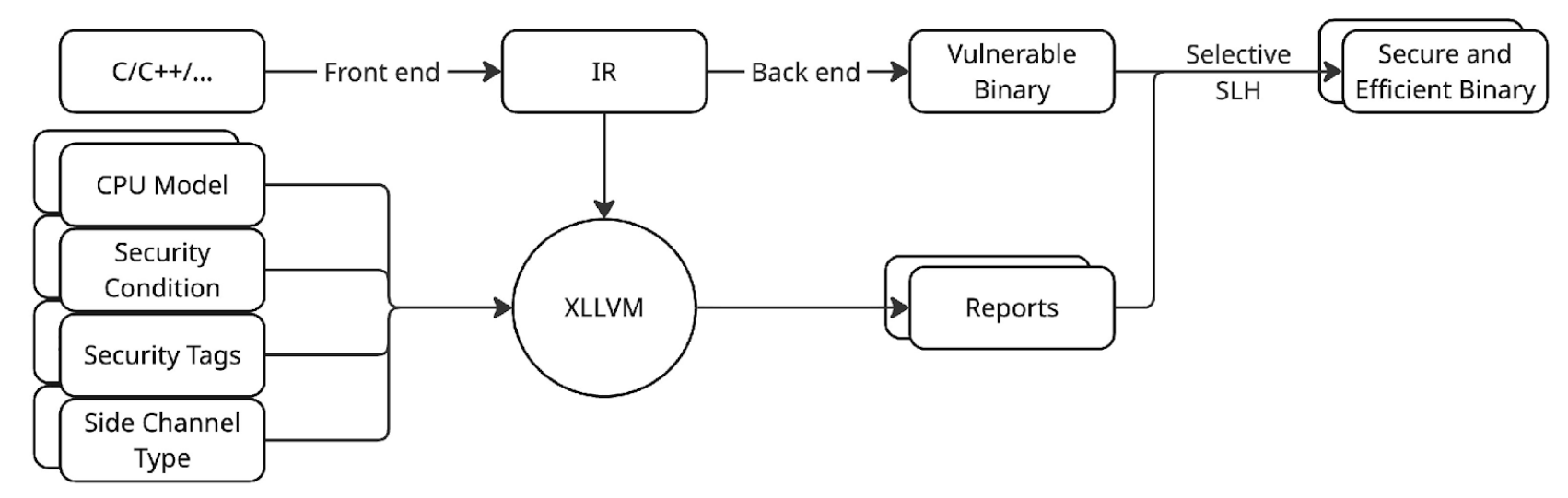
The existing solutions are either impractical (like changing the hardware) or do not scale for big codebases (like SLH).
Ectopass can help pinpoint the exact files where vulnerabilities can be found and limit the scope of SLH to those files. Activating SLH to all files of a project (industry default) can be very time consuming.
Check our benchmarks here!
Analyzing large projects
The demo available in the browser is only suitable to analyze a small C file. If you would like to analyze larger projects with Ectopass and check if they have vulnerabilities, please get in touch!