Using the web version of VS Code and the Ectopass extension we created, you can easily test it from your browser!
- Open VS Code for the web.
- Open the Extensions on the left side bar and search for the Ectopass extension. Install it.
- Launch the
Ectopass: Democommand.
How does the extension work
The Ectopass: Demo command only works from the web version of VS Code. It sends the opened C and
TOML files to a web service which compiles the code with the Ectopass plugin activated.
Depending on the configuration file, Ectopass produces different results.
The results are a JSON
file following the PublishDiagnosticsParams interface from the Language Server Protocol specification.
This file is sent back to the VS Code client and used to output diagnostics.
Note that the C file is compile with the -Og optimization option and that any compilation error
is sent back as a command error.
Analyzing the results from the demo
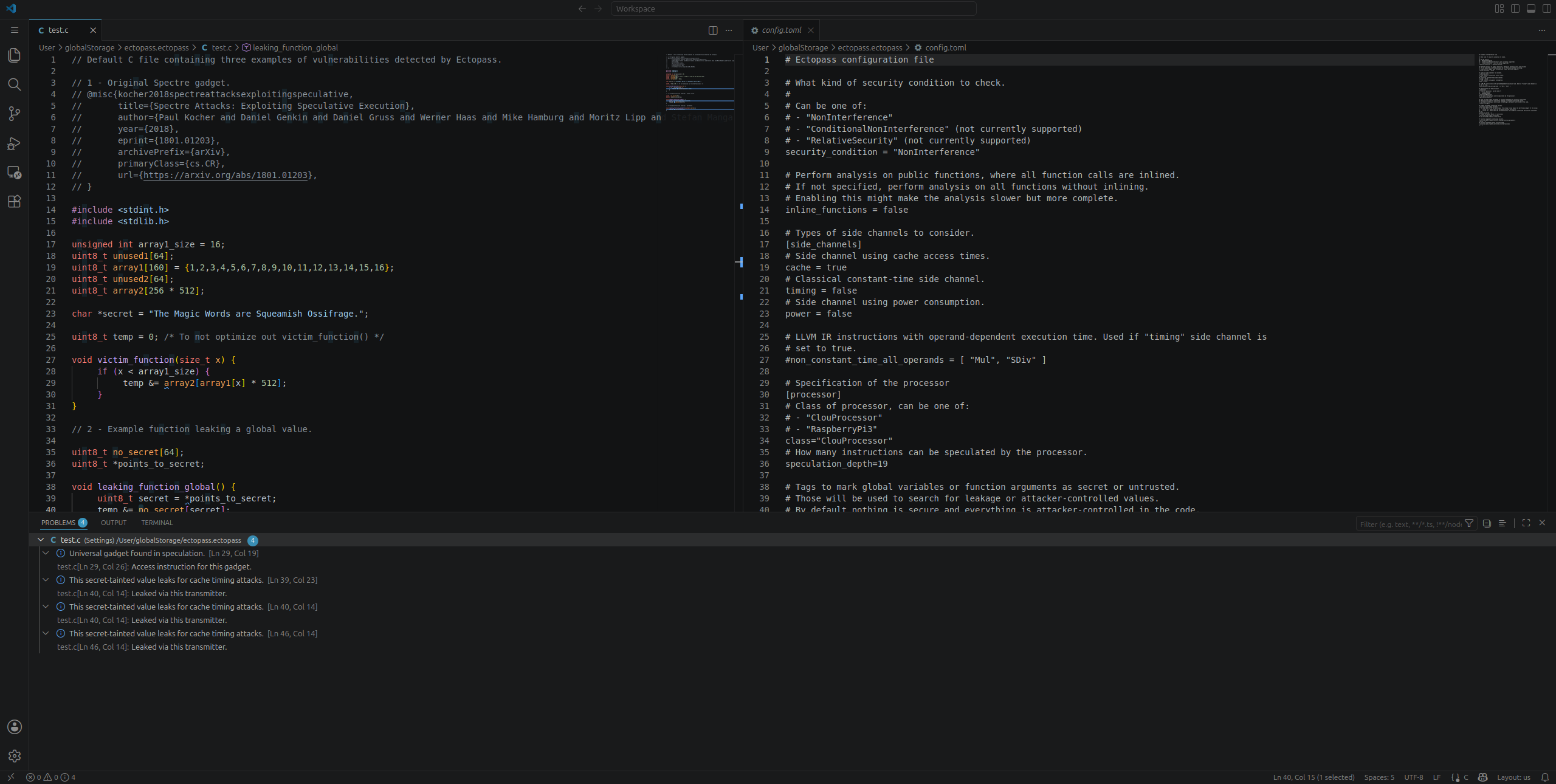
The demo contains three examples of vulnerabilities detected by Ectopass. Once the command is run, the location of the leakage will be underlined (same as a compiler warning).
You can see an overview of the diagnostics by opening the bottom panel and going to the “PROBLEMS” tab.
Classic Spectre example
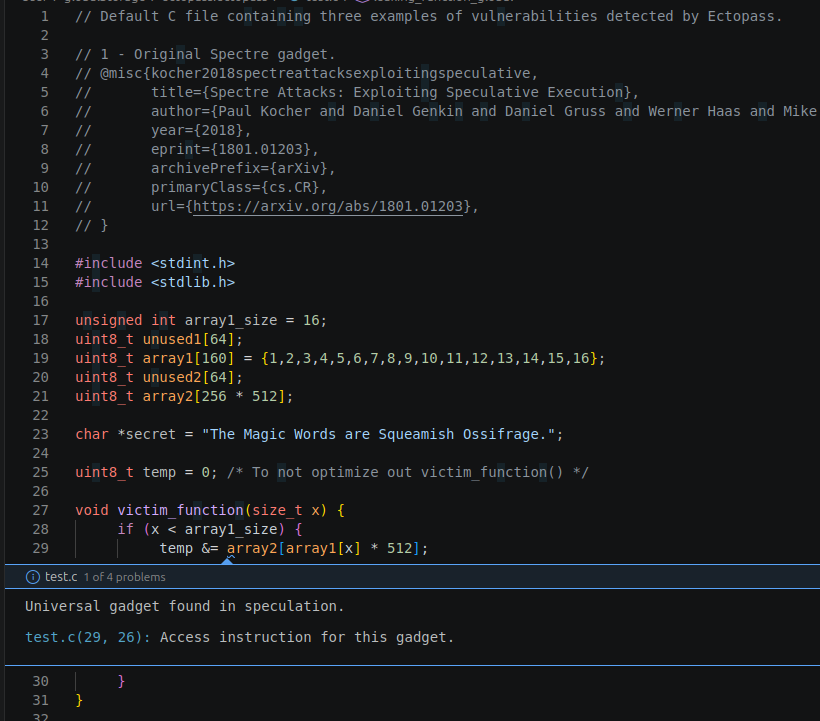
The first one is the Spectre example from the original paper. This example contains an universal gadget meaning that it has the potential to leak from any address in memory. The diagnostic contains the location information of the code generating the leak and also the location of the code generating the memory access (the access instruction).
Leaking a global value
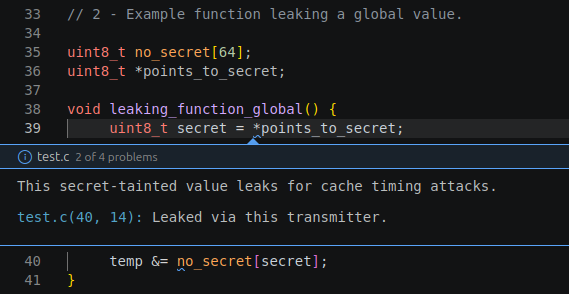
The second example shows how Ectopass can detect the leakage of a secret which has been previously
annotated. The annotation is done in the config.toml file, in the [[security_tags]] array.
points_to_secret is annotated to tell to Ectopass that it points to a secret.
Ectopass lists the code location containing secret-tainted values that are leaking as well as where they leak.
Leaking a function parameter
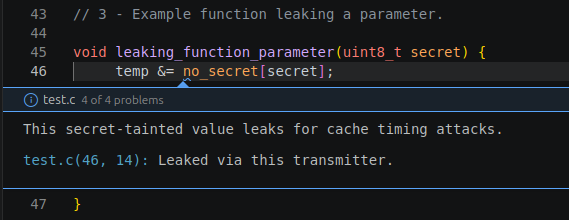
The third example is similar to the second one but the secret is now contained in a function parameter. It is annotated accordingly in the configuration file.
Configuration file
The analysis can be tweaked in the configuration file, for example:
- the security condition
- the type of side channel to consider
- the speculation depth
- if functions should be inlined
See the comment above each element of the configuration file to get more information about them.
Try your own
Feel free to modify the code or erase everything and write your own function to test out the tool!
Run the Ectopass: Demo command again and see what vulnerabilities you can discover. Since the file
is compiled with -Og, you might need some hacking to prevent bits to optimized out. Your code needs
to compile for the results to be visible!
Contact us if you have any question or if you would like to use this tool to analyze a whole project!